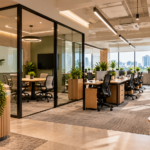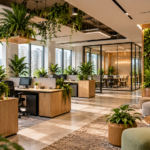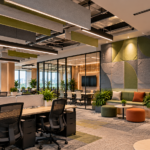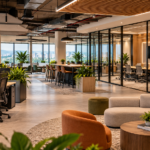
The way businesses use office spaces is changing. Employees no longer need to be physically present in the office every day to collaborate, complete tasks, or stay connected with their teams.
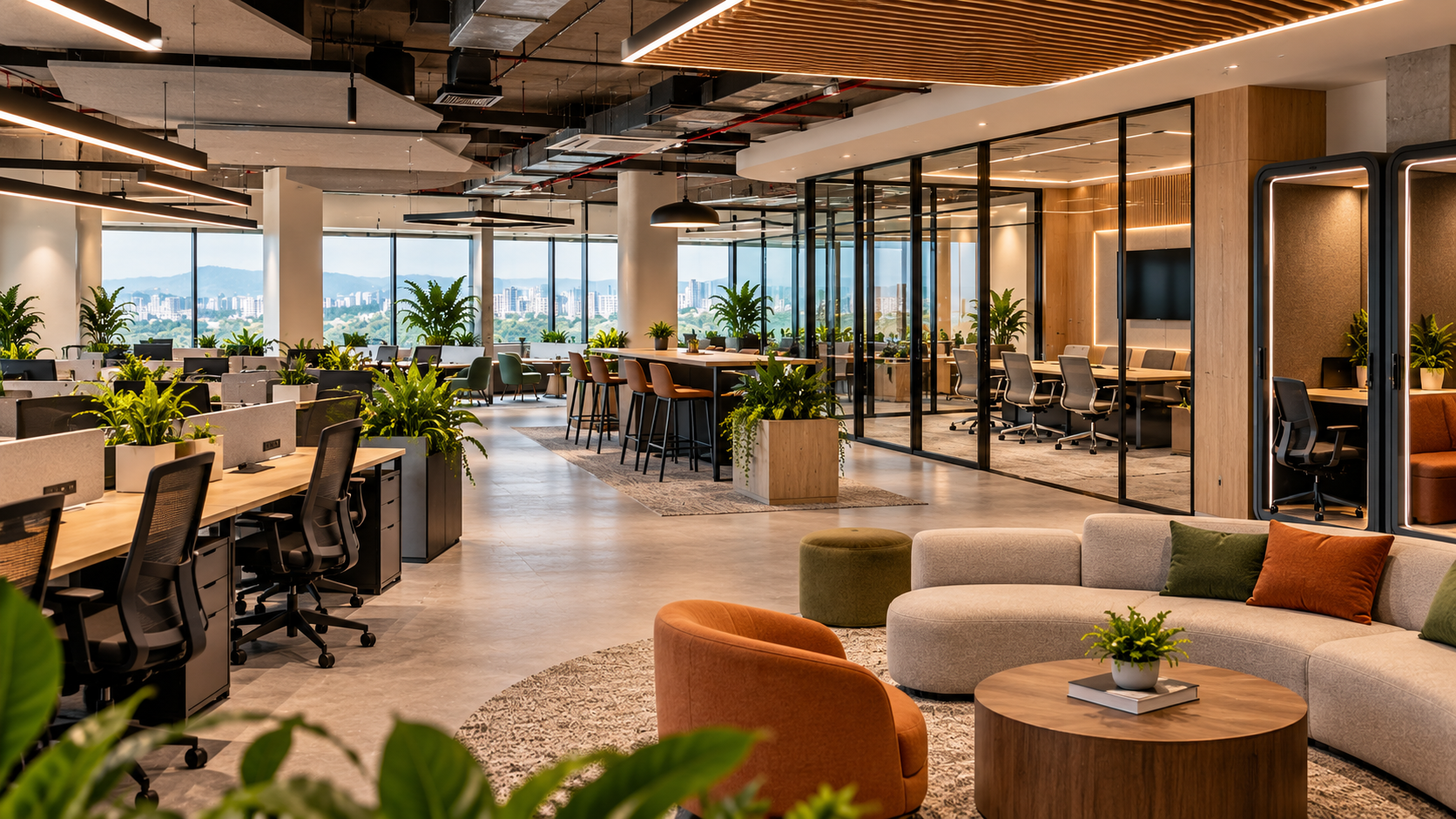
With hybrid working becoming an important part of workplace planning, companies are rethinking traditional office layouts. Instead of providing a permanent desk for every employee, businesses are creating flexible workspaces that combine individual workstations, collaborative areas, meeting rooms, and informal interaction zones.
For companies with 30–100 employees, this approach can offer better space utilisation, improved employee experience, and more efficient office planning.
But designing a hybrid office requires more than simply reducing the number of desks.
You need to understand employee attendance patterns, team structures, collaboration requirements, meeting frequency, and the type of work employees perform.
In this guide, we’ll explore practical hybrid office design ideas for 30–100 person teams, discuss different layout configurations, explain space planning requirements, and help you create a workspace that supports both in-office and remote employees.
1. What Is a Hybrid Office Layout?
A hybrid office layout is a workspace designed to support employees who divide their working time between the office and remote locations.
Unlike traditional offices, where every employee has an assigned desk, hybrid offices focus on flexibility and shared resources.
Employees may use different areas depending on their daily requirements.
For example:
- Employees attending the office for focused work can use shared workstations.
- Teams working on projects can use collaborative spaces.
- Managers can use private cabins or shared meeting rooms.
- Remote employees can participate in meetings through video conferencing facilities.
- Employees can use breakout areas for informal discussions and relaxation.
The objective is to create an office that supports different working styles without requiring a dedicated workspace for every employee.
For a company with 60 employees, for example, you may not need 60 permanent desks if only 35–40 employees typically attend the office on a given day.
However, desk-sharing decisions should be based on actual attendance data rather than assumptions.
2. Why Are Businesses Choosing Hybrid Office Designs?
Hybrid office design is not just about reducing office space. It is about creating an environment where employees have a reason to come to the workplace.
Here are some reasons businesses are reconsidering traditional office layouts.
1. Better Space Utilisation
Traditional offices often have workstations that remain unused when employees work remotely.
Hybrid layouts allow companies to allocate space according to actual attendance patterns and operational requirements.
2. Reduced Real Estate Requirements
Businesses may be able to accommodate their teams in a smaller office by introducing shared desks and flexible work zones.
This can help optimise rental expenses, maintenance costs, and infrastructure investment.
3. Improved Collaboration
Employees often come to the office for meetings, brainstorming, team discussions, and collaborative projects.
Dedicated collaboration spaces can make these activities more effective.
4. Better Employee Experience
A well-designed hybrid office offers different environments for different tasks.
Employees can choose between quiet workspaces, meeting rooms, informal lounges, and collaborative zones.
5. Greater Flexibility for Business Growth
Flexible layouts make it easier to accommodate changing team sizes, new departments, and evolving workplace requirements.
3. How Much Office Space Does a 30–100 Person Hybrid Team Need?
One of the first steps in designing a hybrid office is estimating how much space your team actually needs.
The required office area depends on:
- Total employee strength
- Average daily office attendance
- Number of meeting rooms
- Workstation sharing ratio
- Department requirements
- Common areas and amenities
- Storage and infrastructure needs
Here is an illustrative planning guide:
| Total Employees | Estimated Daily Attendance | Indicative Office Area |
|---|---|---|
| 30 employees | 18–22 | 1,500–2,000 sq. ft. |
| 40 employees | 24–28 | 1,800–2,500 sq. ft. |
| 50 employees | 30–35 | 2,200–3,000 sq. ft. |
| 60 employees | 35–42 | 2,500–3,500 sq. ft. |
| 80 employees | 45–55 | 3,500–4,500 sq. ft. |
| 100 employees | 55–70 | 4,000–6,000 sq. ft. |
These are preliminary planning ranges, not fixed space standards. They assume a hybrid attendance model and a mix of workstations, meeting rooms, collaboration zones, and support areas.
Companies with frequent in-person meetings, larger conference facilities, private departments, or high attendance may need additional space.
4. Six Hybrid Office Layout Ideas for 30–100 Person Teams
The right hybrid office layout depends on your company’s working culture and employee requirements.
Here are six practical design concepts worth considering.
Layout Idea 1: Hot-Desking Workspace
<AsyncImage query=”modern hot desking hybrid office open plan shared workstations ergonomic chairs natural lighting” aspectRatio=”16:9″ width=”100%”/>
Hot-desking is one of the most practical approaches for companies where employees do not visit the office every day.
Instead of assigning a permanent desk to every employee, businesses provide shared workstations that employees can reserve when they come to the office.
Key design elements:
- Shared workstations
- Ergonomic chairs
- Personal storage lockers
- Power and charging points
- Desk booking systems
- High-speed Wi-Fi
- Flexible seating arrangements
Best suited for: Companies with 30–100 employees and predictable hybrid attendance patterns.
Design recommendation: Consider starting with approximately 60–75% of the total employee strength in shared workstations, then adjust based on actual peak attendance.
Layout Idea 2: Activity-Based Working Zones
<AsyncImage query=”activity based working modern office interior different zones collaborative lounge quiet focus pods workstations” aspectRatio=”16:9″ width=”100%”/>
Activity-based working allows employees to choose their workspace depending on the activity they are performing.
Instead of assigning different departments to fixed areas, the office is divided into functional zones.
Typical zones include:
- Focus zones for individual work
- Collaboration zones for team discussions
- Meeting zones for formal discussions
- Quiet rooms for uninterrupted work
- Lounge areas for informal conversations
- Phone booths for private calls
This approach creates a flexible working environment where employees can move between different spaces throughout the day.
Best suited for: Creative agencies, consulting firms, technology companies, and businesses with cross-functional teams.
Design recommendation: Use furniture, lighting, partitions, and acoustic materials to create clear boundaries between different working zones.
Layout Idea 3: Neighbourhood-Based Office Layout
<AsyncImage query=”modern corporate office team neighbourhood layout clustered workstations glass meeting rooms collaborative office” aspectRatio=”16:9″ width=”100%”/>
A neighbourhood-based office layout organises workspaces around departments or functional teams.
For example, a company with 60 employees could have separate neighbourhoods for:
- Marketing
- Sales
- Technology
- Operations
- Leadership
Each neighbourhood can include shared workstations, small discussion areas, storage, and access to common meeting rooms.
This creates a balance between flexibility and team identity.
Employees can work within their designated neighbourhood while still accessing shared office facilities.
Best suited for: Growing companies with multiple departments and regular team collaboration.
Design recommendation: Use low-height partitions, shared tables, and informal discussion corners to maintain connectivity without making departments feel isolated.
Layout Idea 4: Collaboration-First Office Layout
<AsyncImage query=”modern collaborative office interior large communal table brainstorming zone lounge seating whiteboards glass meeting rooms” aspectRatio=”16:9″ width=”100%”/>
Some companies use the office primarily for collaboration rather than individual desk-based work.
For these businesses, the layout should prioritise meeting rooms, brainstorming areas, project tables, and informal discussion spaces.
Important elements include:
- Large collaborative tables
- Whiteboards and writable walls
- Informal lounge seating
- Video conferencing rooms
- Small team discussion spaces
- Presentation areas
Instead of allocating most of the office to individual desks, more space is dedicated to team interactions.
Best suited for: Advertising agencies, design studios, product teams, creative businesses, and consulting companies.
Design recommendation: Invest in acoustic treatment and technology-enabled meeting spaces to make collaboration more productive.
Layout Idea 5: Hybrid Office with Focus Pods
<AsyncImage query=”modern office interior acoustic privacy pods phone booths quiet individual focus workspaces” aspectRatio=”16:9″ width=”100%”/>
One of the biggest challenges in hybrid offices is managing different working environments.
Some employees need collaborative spaces, while others require quiet areas for focused work.
Focus pods and acoustic booths help address this requirement.
They can be used for:
- Private phone calls
- Video meetings
- Individual focused work
- Confidential discussions
- Online interviews
These spaces are particularly useful in open-plan offices where background noise can affect productivity.
Best suited for: Technology companies, finance teams, HR departments, and businesses with frequent virtual meetings.
Design recommendation: Place phone booths and quiet pods away from high-traffic areas, pantries, and collaborative zones.
Layout Idea 6: Flexible Multi-Purpose Office
<AsyncImage query=”modern multifunctional hybrid office flexible modular furniture movable partitions training collaboration workspace” aspectRatio=”16:9″ width=”100%”/>
A flexible multi-purpose office is designed to support different activities using the same physical space.
For example, a training room can double as a large meeting space, while a collaborative lounge can be converted into an event or presentation area.
Key design elements include:
- Modular furniture
- Movable partitions
- Foldable tables
- Stackable chairs
- Flexible meeting areas
- Mobile presentation equipment
This approach is particularly useful for businesses with changing attendance patterns or limited office space.
Best suited for: Startups, growing SMEs, and companies that regularly conduct training sessions, workshops, and internal events.
Design recommendation: Choose durable, lightweight furniture that can be rearranged without requiring extensive setup.
5. How to Divide Office Space for a 50-Person Hybrid Team
Let’s consider a company with 50 employees and an average daily office attendance of 30–35 people.
Instead of designing 50 permanent workstations, the business could create a flexible office with shared desks and dedicated functional areas.
Here is an illustrative space allocation for a 2,500 sq. ft. office.
| Office Area | Space Allocation | Approximate Area |
|---|---|---|
| Shared Workstations | 35% | 875 sq. ft. |
| Meeting Rooms | 15% | 375 sq. ft. |
| Collaboration Zones | 15% | 375 sq. ft. |
| Reception and Lounge | 10% | 250 sq. ft. |
| Focus Pods and Phone Booths | 5% | 125 sq. ft. |
| Pantry and Breakout | 10% | 250 sq. ft. |
| Circulation and Storage | 10% | 250 sq. ft. |
| Total | 100% | 2,500 sq. ft. |
This allocation is an illustrative concept, not a universal design standard.
Actual planning should consider usable carpet area, circulation requirements, building regulations, furniture dimensions, accessibility, and the number of employees expected to attend simultaneously.
6. Essential Features Every Hybrid Office Should Have
A hybrid office needs more than shared desks and flexible furniture.
The workplace should support employees who are physically present as well as colleagues joining remotely.
Here are some essential features to consider.
1. Smart Meeting Rooms
Meeting rooms should support both in-person and remote participants.
Consider installing:
- Large displays
- Video conferencing cameras
- Quality microphones
- Wireless screen-sharing systems
- Acoustic wall treatments
- Video conferencing software
2. Desk Booking Systems
A desk booking system allows employees to reserve shared workstations before arriving at the office.
This reduces confusion and helps businesses understand daily workspace demand.
3. Acoustic Privacy
Open-plan offices can become noisy, particularly when employees participate in multiple online meetings.
Acoustic panels, enclosed meeting rooms, phone booths, and sound-absorbing materials can improve the overall working environment.
4. Flexible Furniture
Modular desks, movable partitions, and adaptable seating arrangements make it easier to change the office layout as the company grows.
5. Reliable Connectivity
Hybrid offices depend on stable internet connections, sufficient power outlets, wireless coverage, and well-planned networking infrastructure.
6. Employee Amenities
A comfortable hybrid office should also include:
- Pantry facilities
- Comfortable lounge seating
- Water stations
- Personal storage
- Wellness or relaxation areas
- Adequate lighting and ventilation
These amenities make the workplace more comfortable and encourage employees to use the office effectively.
7. How Much Does a Hybrid Office Interior Cost?
The cost of designing a hybrid office depends on the office size, design complexity, furniture selection, technology requirements, and quality of materials.
For 2026, the following are indicative office interior planning estimates:
| Interior Category | Estimated Cost Per Sq. Ft. |
|---|---|
| Basic Hybrid Office | ₹1,500–₹2,000 |
| Standard Hybrid Office | ₹2,000–₹3,000 |
| Premium Hybrid Office | ₹3,000–₹4,500 |
| High-End Hybrid Office | ₹4,500–₹5,500+ |
The cost may include different combinations of:
- Workstations and furniture
- Glass partitions
- Meeting room installations
- Flooring and ceiling
- Lighting and electrical work
- Acoustic treatments
- Reception and lounge design
- Interior finishing
Technology equipment, specialist AV systems, major HVAC upgrades, and other infrastructure may be quoted separately.
Example: Estimated hybrid office interior budget
| Office Size | Basic Setup | Standard Setup | Premium Setup |
|---|---|---|---|
| 2,000 sq. ft. | ₹30–40 lakh | ₹40–60 lakh | ₹60–90 lakh |
| 3,000 sq. ft. | ₹45–60 lakh | ₹60–90 lakh | ₹90 lakh–₹1.35 crore |
| 4,000 sq. ft. | ₹60–80 lakh | ₹80 lakh–₹1.2 crore | ₹1.2–₹1.8 crore |
| 5,000 sq. ft. | ₹75 lakh–₹1 crore | ₹1–1.5 crore | ₹1.5–₹2.25 crore |
These are indicative estimates calculated using the stated per-square-foot ranges. Actual quotations depend on the property handover condition, scope of work, specifications, and inclusions. GST may be additional.
8. Common Mistakes to Avoid When Designing a Hybrid Office
Hybrid offices require a different approach to space planning. Simply reducing the number of desks does not automatically create an efficient workspace.
Here are some common mistakes businesses should avoid.
1. Reducing Workstations Too Much
If too many employees arrive on the same day, the office may not have sufficient seating.
Analyse actual attendance patterns and plan for peak office days.
2. Ignoring Meeting Room Requirements
Hybrid employees often rely on video meetings. Insufficient meeting rooms can create noise and scheduling conflicts.
3. Poor Acoustic Planning
Open-plan spaces without acoustic treatment can become uncomfortable, especially during busy office hours.
4. Not Providing Personal Storage
Employees who do not have assigned desks still need a place to store personal belongings and work equipment.
5. Overinvesting in Decorative Areas
An attractive office is important, but functional workspaces, comfortable furniture, and reliable technology should receive priority.
6. Designing Without Employee Feedback
Different departments have different requirements. Speak to employees and managers before finalising the layout.
9. How to Plan a Hybrid Office That Can Scale with Your Business
For companies with 30–100 employees, growth can happen quickly.
A workspace designed only for current requirements may become inefficient within a short period.
Here are some ways to make your office future-ready.
- Use modular workstations that can be rearranged.
- Plan additional electrical and networking points.
- Keep meeting rooms adaptable.
- Use flexible furniture systems.
- Create multi-purpose collaboration spaces.
- Provide additional storage provisions.
- Avoid unnecessary permanent partitions.
- Review desk utilisation periodically.
It is also useful to monitor office attendance, meeting room utilisation, and employee feedback after the workspace becomes operational.
This allows you to make improvements based on actual usage rather than assumptions.
Frequently Asked Questions (FAQs)
1. What is the best office layout for a hybrid team?
A combination of hot-desking, activity-based working zones, collaborative spaces, meeting rooms, and focus areas works well for many hybrid teams. The final layout should depend on employee attendance and the nature of the work.
2. How many workstations are needed for a 50-person hybrid office?
If average daily attendance is 30–35 employees, approximately 30–35 shared workstations may be a reasonable starting point. However, peak attendance and departmental requirements should determine the final number.
3. How much office space is required for 100 employees in a hybrid setup?
An indicative planning range is approximately 4,000–6,000 sq. ft., depending on attendance, meeting room requirements, common areas, and the layout.
4. What is hot-desking in office design?
Hot-desking is a shared seating arrangement where employees do not have permanently assigned desks. They reserve or select available workstations when they visit the office.
5. Are hybrid offices cheaper to design than traditional offices?
They can be more space-efficient, potentially reducing real estate and infrastructure requirements. However, technology, acoustic treatments, flexible furniture, and meeting room installations can add to the initial interior investment.
6. What technology is required in a hybrid office?
Essential technology may include high-speed internet, video conferencing equipment, meeting room displays, quality microphones, desk booking software, access control, and reliable networking infrastructure.
7. How many meeting rooms should a 50-person hybrid office have?
There is no fixed number. A 50-person office might start with two or three meeting rooms of different capacities, supplemented by phone booths and smaller discussion spaces. Actual requirements depend on meeting frequency and peak attendance.
8. What is the difference between an open-plan office and a hybrid office?
An open-plan office describes a physical layout with fewer enclosed partitions. A hybrid office describes a workplace designed to support employees working both remotely and in person. A hybrid office can use an open-plan layout, but the two terms are not interchangeable.
Conclusion: Design an Office Around How Your Team Actually Works
Hybrid working has changed the way businesses think about office spaces.
A modern workplace should not simply provide a desk for every employee. It should create an environment where people can collaborate, concentrate, communicate, and work comfortably whenever they visit.
For teams of 30–100 employees, a combination of shared workstations, meeting rooms, collaboration zones, focus pods, and flexible furniture can create a more efficient workplace.
The most important step is understanding your team’s actual working patterns before finalising the design.
Whether you’re setting up a new office or renovating an existing workspace, thoughtful hybrid office planning can help improve space utilisation, employee experience, and long-term flexibility.
Planning a hybrid office for your team?
Let’s create a workspace designed around your employee strength, attendance patterns, business requirements, and future growth plans. Get a customised office interior design and space planning consultation.